
Table of Contents
Your website is your marketing ROI hub because it’s the one place you control, measure, and improve. You can track every click from ads, email, and social, match each visitor’s intent to a focused landing page, and guide them from click to lead to sale with clear CTAs. Fast load times, clean UX, and strong proof build trust and cut bounce. Keep going and you’ll see how to tie traffic directly to revenue.
Key Takeaways
- Your website is the central hub where all channels converge, turning traffic into measurable leads, sales, and ROI.
- It gives you full control of data and attribution, connecting campaigns, keywords, and audiences directly to revenue outcomes.
- Intent-matched landing pages and clear CTAs optimize conversion paths, reducing friction and increasing completed actions.
- Consistent UX, fast load times, and strong trust elements improve engagement and conversion rates across devices.
- Continuous testing and analytics let you scale high-ROI channels, fix drop-offs, and maximize revenue with data-driven improvements.
Your Website Is the Marketing ROI Hub
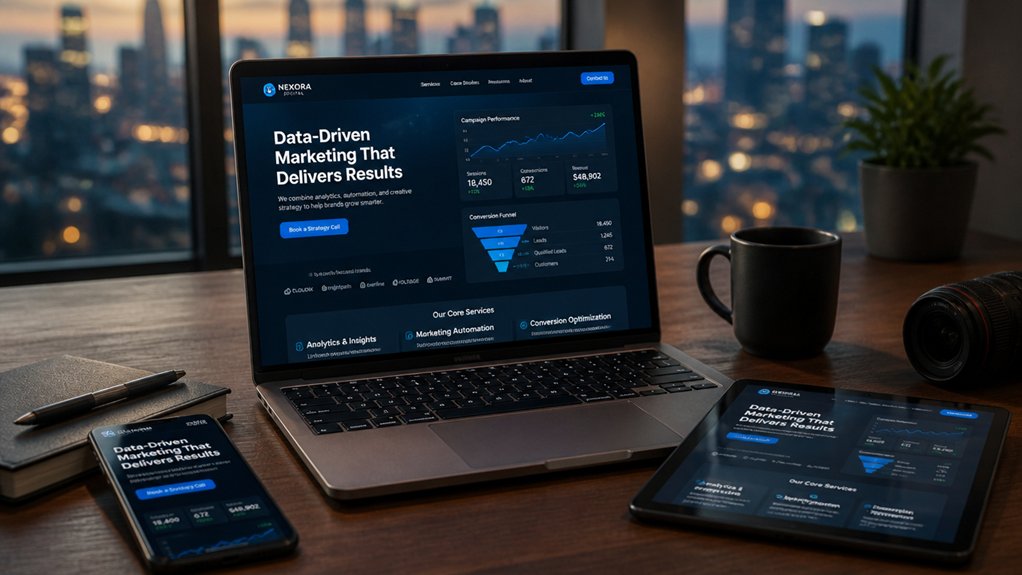
Because every channel ultimately sends people somewhere, your website becomes the one place where marketing performance turns into measurable ROI. You control the full data loop: traffic source, engagement, and revenue impact.
With clean analytics, you can attribute outcomes to specific campaigns, keywords, and audiences, then reallocate budget to what performs. Branding consistency keeps messaging aligned across ads, email, and social, so visitors don’t hesitate when they arrive.
Content personalization increases relevance by matching pages to intent, location, or lifecycle stage, which lifts time on page and return visits. You also improve speed, accessibility, and trust signals to reduce wasted spend.
When you own the platform, you’re not renting attention—you’re compounding it. Over time, that compounds leads and lifetime value.
For prime examples of superb websites, visit https://www.propertystream.co/estate-agent-websites/
and look here for more information.
A Simple Website Conversion Path (Click → Lead → Sale)
You build revenue faster when you treat every visit as a measurable path: click → lead → sale.
You optimize the click-to-lead flow by matching intent, tightening pages and forms, and tracking conversion rate at each step.
You streamline the lead-to-sale journey with rapid follow-up, clear nurturing, and frictionless checkout or booking so more leads turn into customers.
Optimize Click-To-Lead Flow
When your website turns each click into a clear next step, conversion rates rise and ad spend goes further. Map every traffic source to one intent-matched landing page, then remove competing links so the primary CTA dominates above the fold.
Boost User engagement by tightening message match: mirror the ad’s headline, offer, and proof points, then confirm relevance in the first 5 seconds. Use content personalization to swap testimonials, benefits, or FAQs by audience segment, location, or device, and track lift with A/B tests.
Shorten forms to the minimum fields, add inline validation, and offer one-click options like calendar booking or chat. Increase trust with security cues, social proof, and transparent privacy language.
Measure click-to-lead rate, time-to-submit, and drop-off by step, then iterate weekly.
Streamline Lead-To-Sale Journey
How fast can a new lead move from “interested” to “paid” on your site? If the path has friction, you’ll lose deals. Tighten the lead-to-sale journey with a single, obvious next step: book a call, start a trial, or buy now.
Reduce fields, prefill known data, and show trust signals beside the form and checkout. Use content personalization to match the offer to the lead’s source, industry, and stage, so they don’t hunt for relevance.
Drive customer engagement with fast follow-up: confirmation pages that set expectations, automated emails, and calendar scheduling.
Track time-to-close, drop-off by step, and conversion rate per segment. Then A/B test pricing, CTAs, and page order until clicks reliably become revenue.
Landing Pages and CTAs That Match Each Campaign
To lift conversion rates, you need campaign-specific landing pages that mirror each ad’s promise and remove distractions.
You also need message-matched CTA copy—when your button text repeats the exact offer and outcome, you reduce friction and increase clicks.
Keep design consistent across ads, email, and the page so visitors recognize they’re in the right place and move confidently to the next step.
Campaign-Specific Landing Pages
Why send paid clicks to a generic homepage that forces visitors to hunt for what your ad promised? Build campaign-specific landing pages that mirror each offer, audience, and traffic source so you reduce friction and lift conversions.
Align the headline, hero image, proof points, and form fields to the exact intent behind the click—demo seekers need benefits and scheduling, while price shoppers need packages and comparisons.
Use Personalization strategies like dynamic sections by keyword, location, or segment to keep relevance high without rebuilding pages.
Then run A/B testing on layout, form length, and trust elements to validate what moves your numbers.
Track bounce rate, scroll depth, and lead quality per campaign, and reallocate budget toward pages that produce cheaper, better-qualified conversions.
Message-Matched CTA Copy
When your CTA repeats the exact promise that earned the click, you keep cognitive load low and conversion intent high. If your ad says “Get a 14-day free trial,” your button should say “Start My 14-Day Free Trial,” not “Learn More.” That message match reduces uncertainty and lifts conversions because you’re confirming you understood the visitor’s goal.
Use campaign-level keyword and offer alignment to preserve brand consistency while speaking in the visitor’s language. Then apply content personalization: swap CTA copy by traffic source, audience segment, or stage (prospect vs. retargeting) so each click lands on a next step that feels inevitable.
Track CTA CTR, form-start rate, and completion rate by campaign; pause variants that increase clicks but lower completions. Keep the action specific, immediate, and measurable always.
Design Consistency Across Channels
Even if your offer and CTA copy match perfectly, inconsistent design across ads, emails, and landing pages can still kill conversion momentum. When a click lands on a page that looks “different,” trust drops and bounce rates rise—especially on mobile, where attention is thin.
You need branding consistency: same colors, typography, imagery style, and button treatment from impression to conversion. Build visual harmony by mirroring the campaign’s hero image, headline hierarchy, and CTA placement on the landing page, then keep forms and navigation minimal.
Tie each ad set to a dedicated page, not a generic hub, so intent stays focused. Audit every step: ad → email → page. If any element feels off-brand, fix it before you scale spend.
Speed and UX That Stop People From Bouncing
Because your visitors judge your business in seconds, page speed and UX directly decide whether they stay, scroll, and convert—or hit back. If your pages load in 1 second instead of 3, you can cut abandonment dramatically and keep more ad traffic in the funnel.
Treat Page speed as a revenue lever: compress images, ship less JavaScript, enable caching, and prioritize above-the-fold content.
Your User experience must remove friction at every step. Make navigation obvious, keep tap targets thumb-friendly, and design forms that auto-fill and validate in-line. Use clear hierarchy so people find the next action without thinking.
Track Core Web Vitals, scroll depth, and conversion rate by device, then fix the worst pages first. Fast, effortless journeys turn clicks into customers.
Website Messaging and Proof That Build Trust Fast

If your messaging doesn’t land in five seconds, visitors won’t hunt for meaning—they’ll bounce. Lead with a clear promise: who you help, what outcome you deliver, and why you’re different. Use benefit-led headlines, specific numbers, and plain language. Then reinforce it with focused brand storytelling that shows the problem, your approach, and results.
Trust accelerates when proof sits beside claims. Add customer testimonials near key CTAs, not buried on a separate page. Use names, roles, photos, and measurable wins to raise credibility. Showcase logos, certifications, security badges, and concise case snippets to reduce perceived risk.
Answer objections fast with FAQs and guarantees. When you align message, proof, and next step, you turn “maybe” into action.
Website Tracking That Ties Traffic to Revenue
While traffic numbers can look impressive, they don’t tell you which channels actually generate revenue. You need tracking that connects every click to a sale, not just a session.
Set up conversion events for forms, calls, demos, and purchases, then feed them into your CRM so you can see lead quality and close rates by source.
Use visitor analytics to spot high-intent paths, pages that stall buyers, and campaigns that drive repeat visits.
With clean UTM standards and cross-domain tracking, you’ll avoid “direct/none” guesswork.
Prioritize revenue attribution across channels so you can scale what pays, cut what doesn’t, and forecast results with confidence.
That turns your website into a measurable profit engine.
Frequently Asked Questions
How Often Should I Redesign My Website to Stay Competitive?
You should plan a light redesign every 2–3 years and a major overhaul every 4–5 years, or sooner if metrics slip.
Watch conversion rate, bounce rate, Core Web Vitals, and mobile engagement; when they decline, update fast.
Prioritize website usability improvements that remove friction in key journeys.
Refresh visual branding when competitors look more modern or your positioning shifts.
Test changes with A/B experiments to protect revenue.
Do I Need a Custom-Built Site or a Template Platform?
You don’t need a custom website to start; you need the right fit. Fast and flexible, a template platform gets you live in days and can convert well when you optimize copy, speed, and CTAs.
Precise and scalable, a custom website pays off when you need unique UX, integrations, or heavy SEO.
If you’re testing offers, choose templates; if you’re scaling revenue, go custom for performance.
What Budget Should I Plan for Ongoing Website Maintenance?
Plan on $100–$500/month for typical maintenance, or 5–10% of your site’s build cost annually. You’ll cover hosting, backups, updates, and monitoring for website security, plus content updates that keep rankings and conversion rates strong.
If you run ecommerce or heavy traffic, budget $500–$2,000/month for performance tuning, QA, and faster support. Track uptime, page speed, and lead-to-sale rate to justify spend.
Which Pages Are Legally Required for My Business Website?
You’ll typically need a privacy policy, terms of service/terms and conditions, and an accessible contact page.
If you collect personal data or track users, add cookie consent and a cookie policy.
If you sell online, include refunds/returns, shipping, and payment disclosures.
Many regions also require accessibility and business identity details.
These pages reduce compliance risk and boost conversions by answering objections fast and supporting ad-platform approvals.
How Do I Choose the Right Domain Name and Hosting Provider?
Choose a domain that’s short, pronounceable, and matches your brand consistency across ads, email, and social. Use a trusted domain extension (often .com; use .io/.co only if your audience recognizes it).
For hosting, pick providers with 99.9%+ uptime, fast TTFB, SSL included, daily backups, and scalable plans. Check renewal pricing, support response times, and migration tools.
Faster sites typically lift conversions and lower bounce rates.
Conclusion
Your website isn’t just “online”—it’s your ROI command center. When every ad, email, and post sends people to a fast, focused path (click → lead → sale), you turn traffic into revenue you can measure. Match landing pages and CTAs to each campaign, back your messaging with proof, and track every step to see what’s working. Do that, and you’ll market like you’ve got a 1980s supercomputer—only faster.
About the Author