
Table of Contents
You improve trust signals on your website by auditing high-intent pages for bounce, scroll depth, and session-replay friction, then fixing the biggest credibility gaps first. Make your brand and offer obvious above the fold with one clear CTA, consistent design, and transparent pricing or cost drivers. Add tappable contact options (email, phone, address), plain-English privacy notes near forms, and verified testimonials with specifics. Show SSL, payment logos, and fast load times. Keep testing placements and copy for lift. Next, you’ll see how to prioritize and measure each change.
Key Takeaways
- Audit trust friction using analytics and session replays; fix rage clicks, form abandons, missing credibility elements, and unverified claims.
- Clarify above-the-fold messaging: who it’s for, outcome, and one primary CTA; remove vague taglines, sliders, and competing buttons.
- Make contact and identity obvious: email, phone, physical address, support hours, and response times; keep them visible in header, footer, and checkout.
- Add decision-stage proof: verified testimonials and case studies with names, context, metrics, and timeframes; A/B test placement and relevance.
- Strengthen security and transparency: TLS, no mixed content, payment logos, minimal credible badges, and clear privacy explanations near forms and checkout.
Audit Your Biggest Trust Signal Gaps (5-Minute Checklist)

Before you add more badges, pop-ups, or copy, run a quick audit to find where visitors actually hesitate. Start in analytics: identify top landing pages, then check bounce rate, scroll depth, and exit pages.
In session replays, tag moments of Trust evaluation—rage clicks, backtracks, form abandons.
Next, review core credibility building elements: clear business identity, real contact info, transparent pricing, shipping/returns, and security cues at checkout, not everywhere.
Validate claims: replace “best-in-class” with numbers, dates, and sources.
Scan reviews: are they recent, specific, and tied to the product?
Check mobile: tap targets, autofill, and error messaging.
Finally, run two quick tests: remove one trust element and measure conversion; then rewrite one claim with proof and compare results.
Make Your Brand and Offer Obvious Above the Fold
If a visitor can’t name your brand, what you sell, and who it’s for within the first 3–5 seconds, they’ll default to skepticism and bounce.
Above the fold, lead with Brand visibility: a readable logo, consistent name, and a headline that matches your ads and search snippets.
Drive Offer clarity with one sentence: what you do, for whom, and the outcome, plus a single primary CTA.
Cut sliders, vague taglines, and competing buttons; they raise cognitive load and weaken trust.
Validate with tests: run a 5-second test asking, “What is this site? Who’s it for? What should you do next?”
Then A/B test headline, hero image, and CTA text; track bounce rate, scroll depth, and CTR across device sizes.
Add Clear Contact Options (Email, Phone, Address)
When visitors can’t quickly find a real way to reach you, trust drops and abandonment rises. Put email, phone, and a physical address in your header, footer, and checkout so they’re one click away. Label them clearly (not “Get in touch”) and make them tappable on mobile.
Route calls to Customer support hours and show response-time expectations to reduce uncertainty. Offer Contact forms for low-friction questions, but don’t hide direct options behind them.
Add schema markup for your business details and verify your address matches listings. Then test: A/B the placement, button copy, and visibility; measure checkout completion, support clicks, and form submissions.
If support clicks rise while conversions hold, clarity improved, not confusion.
Use Social Proof That Matches the Buyer’s Stage
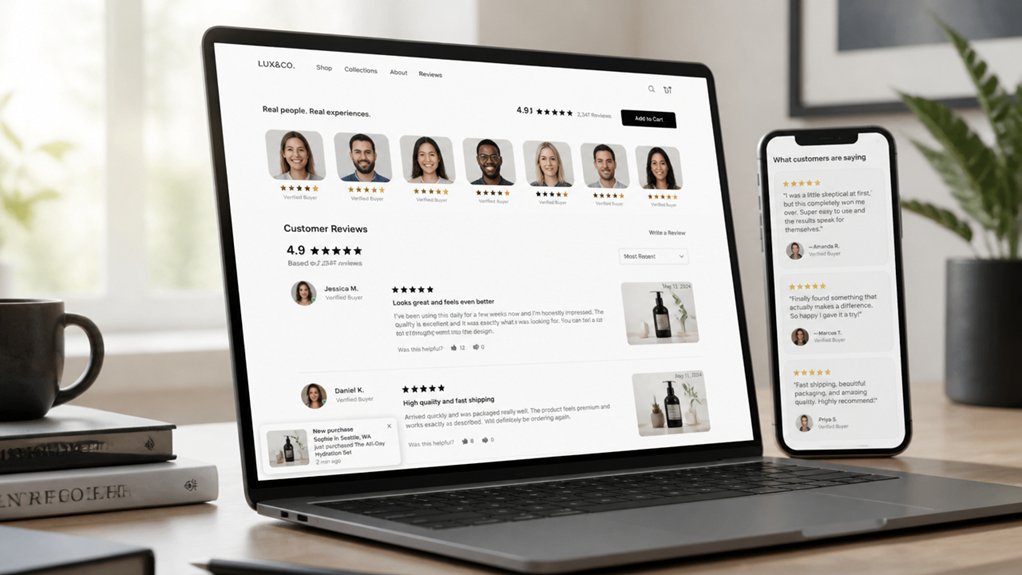
You’ll build more trust when you match social proof to where the buyer is in their journey, then validate it with A/B tests on CTR and conversion rate.
At the awareness stage, you should prioritize high-signal credibility cues like media mentions, follower counts, and review volume to reduce perceived risk fast.
At the decision stage, you should switch to proof that answers purchase blockers—detailed testimonials, case studies with measurable outcomes, and third-party ratings—and test which format lifts checkout completion.
Awareness-Stage Social Proof
At the awareness stage, one mistake tanks trust fast: showing bottom‑funnel proof (like pricing‑page testimonials) to people who haven’t even decided they’ve a problem.
Instead, prove relevance and brand authenticity with lightweight, educational social proof: “X teams searched for this guide,” “Y readers subscribed,” “Used by analysts at…” Keep it problem-centric, not product-centric.
Prioritize signals that reduce uncertainty without pushing commitment: expert quotes, press mentions, community size, anonymized benchmarks, and “people like you” stats.
Instrument everything: track scroll depth, time on page, and user engagement events (video plays, tool interactions, newsletter clicks).
A/B test proof placement (hero vs mid-article), specificity (numbers vs vague claims), and audience match (industry vs role).
If bounce rate rises, you’re over-selling.
Decision-Stage Social Proof
Because the buyer’s already comparing options, decision-stage social proof has to reduce perceived risk and justify switching—not just signal popularity. Put proof where hesitation peaks: pricing, checkout, and demo pages.
Use quantified case studies (e.g., “reduced onboarding time 32%”), third-party ratings, security badges, and peer comparisons that name the segment and use case. Highlight Customer loyalty with renewal rates, retention cohorts, or “X months to payback” data, not vague testimonials.
Reinforce Brand authenticity by showing verified reviews, reviewer identities, and unedited pros/cons summaries. Add “why we chose you” quotes from customers who switched from key competitors.
Then A/B test proof formats (logos vs. metrics vs. video), placement, and specificity; track lift in trial-to-paid, cart completion, and sales-cycle length.
Add Reviews and Testimonials (With Names, Photos, Details)

You’ll lift conversion confidence when you show verified testimonials that customers can quickly validate. Add the reviewer’s full name, photo, and specific context (product, use case, result) so visitors can judge authenticity at a glance.
A/B test named-and-photo testimonials against anonymous quotes and track impact on add-to-cart rate, form starts, and checkout completion.
Display Verified Testimonials
How do you turn skeptical visitors into confident buyers in a few seconds? You show proof they can verify. Display verified testimonials sourced from purchase-checked reviews, support tickets, or third-party platforms. Label them clearly (“Verified buyer,” “Order confirmed”) and link to your verification method so users can audit it.
This turns Verified endorsements into measurable credibility.
Keep testimonials specific: outcomes, timeframe, use case, and measurable results. Prioritize recency and relevance by matching testimonials to the page’s product and visitor intent.
Run A/B tests on placement (near pricing, CTA, or checkout), volume, and snippet length. Track lift in add-to-cart, checkout completion, and refund rate—not just clicks.
Authentic recommendations reduce perceived risk and improve conversion quality.
Include Names And Photos
Verified testimonials establish that the review is real; names and photos make it feel human and easier to trust at a glance. Add a headshot, full name (or first name + last initial), role, company, and location, so visitors can validate context in seconds. When possible, link to a real profile or case study to reduce perceived risk.
Treat testimonials as measurable UX elements. A/B test photo vs. no photo, initials vs. full names, and short quotes vs. detailed outcomes. Track lift in conversion rate, scroll depth, and “contact” clicks.
Use consistent Visual branding (image style, borders, typography) so reviews look native, not pasted. Tie each quote to Brand storytelling: the problem, what you delivered, and a quantified result.
Rotate recent reviews to keep credibility fresh.
Publish Case Studies With Metrics and Process
Why should a visitor trust your claims when they can’t see the proof? Publish case studies that show outcomes, not hype. Use case study storytelling to frame the problem, constraints, and decision points, then back every claim with numbers.
Lead with a baseline, define success metrics, and state the timeframe so results feel comparable. Add metric visualization—before/after charts, funnel drop-off graphs, and cohort tables—to reduce interpretation bias.
Document your process: inputs, tools, experiments run, and what you rejected. Highlight test design (sample size, segments, controls) and share confidence signals like error ranges or statistical lift.
Close with “what to replicate” steps so readers can validate your approach on their site and compare their results.
Show Transparent Pricing (or Explain Why You Can’t)
Even if your pricing varies by scope, you can still reduce buyer uncertainty by showing a clear price range, what drives it, and what “standard” includes.
List the 3–5 variables that move cost (volume, integrations, timeline, support level), and map each to an estimated delta so prospects can self-qualify fast.
This Pricing transparency cuts back-and-forth and filters out poor-fit leads earlier.
If you can’t publish numbers, give a Trust explanation: explain the constraints (regulated bids, custom materials, fluctuating inputs) and show your quoting method.
Offer example bundles, minimums, and typical timelines, plus a short calculator or intake form that returns a ballpark within 60 seconds.
A/B test ranges vs. “contact us” on conversion rate, qualified calls, and refund requests.
Use Security Signals People Recognize (SSL, Payments, Badges)
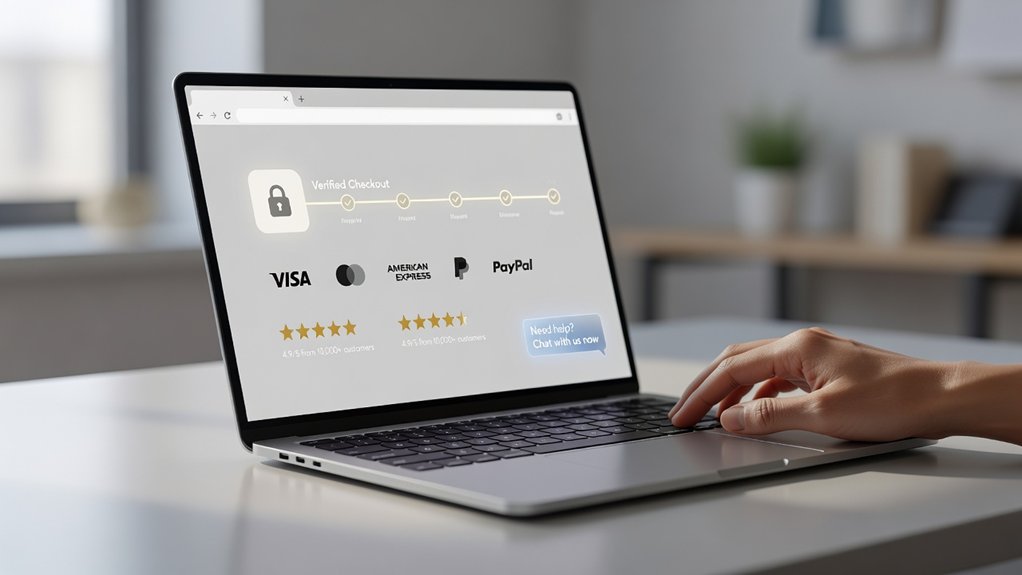
Pricing clarity reduces sticker shock, but you’ll still lose buyers if the checkout or contact form feels risky. Put visible SSL indicators on every page that collects data, not just checkout. Use modern Encryption protocols (TLS 1.2+), redirect HTTP to HTTPS, and fix mixed-content warnings—users notice browser alerts and bounce.
For Payment security, show recognizable payment logos (Visa, Mastercard, PayPal, Apple Pay) near the “Pay” button, and confirm you use tokenization and PCI-compliant processors. Add third-party trust badges sparingly; one or two credible marks beat a badge wall.
Test what works: A/B badge placement, copy (“Secure checkout”), and payment options. Track form starts, completion rate, and chargeback/refund tickets to validate lift.
Explain Privacy in Plain English (Data, Cookies, Retention)
You build more trust when you tell people exactly what data you collect, why you collect it, and what they get in return.
You should also explain cookies in plain terms—what they track, which ones are optional, and how users can opt out—then A/B test the wording for comprehension.
Finally, state your retention rules with specific timeframes and triggers (for example, “we delete X after Y days unless Z”) so users can verify your claims.
Data Collection Explained
Because privacy questions can block sign-ups and purchases, spell out your data collection in plain English: what you collect (like email, payment details, or analytics events), why you collect it, and who can access it. Put it near forms and checkout, not buried.
Use a simple table: field, purpose, legal basis, shared with, and user control.
Show how you protect Data accuracy: let people review, edit, and delete profile details, and sync updates across systems.
Add Consent management that’s specific (marketing email, product updates, research) and easy to change in-account.
Then test it: track support tickets, form-abandon rate, and privacy-page clicks before and after. If questions drop and completion rises, you’ve made trust measurable.
Cookies And Retention Basics
Where do cookies and retention rules usually go wrong? You bury them in legal jargon, set all cookies by default, and keep data “just in case.” Users notice: consent rates drop, bounce rises, and support tickets spike.
Explain cookies in plain English: what each cookie does, who sets it, and how long it lasts. Separate “necessary” from “analytics” and “ads,” and let users opt in. Publish clear cookie policies and link them in your banner and footer.
Then define retention like a timer: keep only what you need, for as short as you can. Build retention strategies by data type (logs, orders, email, chat) and test them: measure opt-in rate, returning visits, and deletion-request completion time.
Make Design and Messaging Consistent Across Pages
When design and messaging stay consistent across your pages, visitors process information faster and feel less friction, which strengthens trust and reduces drop-offs. Audit your templates for Visual consistency: typography, spacing, button styles, icon sets, and color tokens should match from landing page to checkout. Keep key elements anchored in predictable locations, so users don’t relearn the interface.
Then enforce Messaging clarity. Use the same value proposition, product names, and tone across headlines, CTAs, and microcopy, and align them with your policies and pricing language. Track mismatches by tagging sessions where users backtrack between pages or hesitate on forms.
A/B test one variable at a time—CTA wording, proof placement, or plan labels—and watch completion rate, error rate, and support clicks to confirm trust gains.
Speed Up Key Pages to Reduce Bounce and Doubt
Consistent design and messaging set expectations, but slow pages still erode trust by making your site feel unreliable or insecure. When page loading drags, visitors hesitate, abandon forms, and question whether checkout will work. Treat speed as a credibility feature, not just a technical metric.
Start with your highest-intent pages: homepage, pricing, product, signup, and cart. Run Lighthouse and WebPageTest to isolate bottlenecks: render-blocking scripts, oversized images, third-party tags, and font delays.
Compress and serve next-gen images, preload critical fonts, and defer nonessential JavaScript. Reduce requests with caching, HTTP/2, and a CDN. Then re-test on mobile and slower networks, because that’s where doubts spike first.
A faster user experience keeps attention, lowers bounce, and signals operational competence to new customers.
Measure Which Trust Signals Increase Conversions
Even if your site looks credible, you won’t know which trust signals actually move revenue until you measure them against conversion data. Start by defining primary conversion metrics: checkout completion, lead submission rate, and revenue per visitor.
Then map each trust element—reviews, security badges, guarantees, expert logos, shipping/returns clarity—to a specific page and funnel step.
Run trust signal testing with A/B or multivariate experiments, changing one variable at a time. Track lift, statistical significance, and downstream effects like refund rate and support tickets.
Segment results by device, traffic source, and new vs. returning users, since signals don’t perform uniformly. Use heatmaps and session replays to confirm visibility and comprehension.
Keep winners, iterate on underperformers, and document learnings so you scale what converts.
Frequently Asked Questions
How Do Trust Signals Differ for B2B Versus B2C Websites?
On B2B sites, you win trust by proving ROI, compliance, and low risk for committees.
On B2C sites, you win trust by reducing checkout anxiety and showing product reliability fast.
You’ll lean on Customer testimonials that quantify results in B2B, while B2C testimonials highlight satisfaction and speed.
You should A/B test Security badges placement: B2C near payment fields, B2B near pricing, contracts, or request-demo forms.
What Trust Signals Matter Most for International Visitors and Different Cultures?
For international visitors, you’ll win trust fastest with localized language, region-specific payment options, transparent fees, and familiar legal/privacy markers—it’s a trust superpower.
Match Cultural nuances: show local address/phone formats, currency, delivery timelines, and support hours.
Use strong Visual cues: recognizable certifications, security badges, and country-relevant testimonials.
You can’t guess—A/B test by locale, track conversion, refund rates, and support tickets, and iterate.
How Can We Improve Trust for Users With Accessibility Needs?
You improve trust for users with accessibility needs by shipping Accessible design: meet WCAG 2.2 AA, support keyboard navigation, strong contrast, captions, alt text, and clear error recovery.
You reinforce inclusive branding with plain-language copy, diverse imagery, and transparent accommodations.
You validate impact by tracking task completion, form drop-off, and support tickets for assistive-tech users, then A/B test labels, focus states, and layouts with usability sessions.
How Do Trust Signals Affect SEO Rankings and Organic Search Visibility?
Trust signals can lift your SEO by improving engagement metrics you influence: higher CTR, longer dwell time, and fewer bounces, which correlate with stronger organic visibility.
Add User testimonials and Security badges to increase perceived credibility, then test changes with A/B snippets and page variants.
Track Search Console CTR, rankings, and conversions, and compare cohorts before/after.
You’ll also reduce pogo-sticking, helping your pages earn better behavioral signals over time.
What Legal Disclaimers Reduce Risk Without Hurting Customer Trust?
You reduce risk without hurting trust by using clear, plain-language Legal compliance disclaimers: “No legal/medical advice,” “Results may vary,” “Affiliate disclosure,” “Third-party links,” “Limitation of liability,” and “Warranty/return terms.”
Put them where decisions happen (checkout, forms), not buried.
Pair them with concise Privacy policies explaining data use, retention, and user rights.
A/B test placement and readability; track conversions, support tickets, and refund rates.
Conclusion
Trust isn’t a vibe—it’s a measurable lift. When your headline’s clear above the fold, your contact options are visible, and your reviews include real names and photos, you replace a dark hallway with a lit storefront. Plain-English privacy turns “What are you doing with my data?” into “I’m safe here.” Consistent design and faster pages cut hesitation. Then you A/B test each signal, track conversion rate, bounce, and time-on-page, and keep what moves the needle.
About the Author