
Table of Contents
Create a better first impression on your website by testing what people notice in 5 seconds, then fixing what’s unclear. State who you’re for, what you do, and the outcome above the fold in plain language, backed by one proof point and a single primary CTA. Use strong visual hierarchy, consistent typography, and WCAG-checked contrast. Hit Core Web Vitals targets (fast LCP, low CLS), and add trust signals near the headline. Next, verify on real devices and browsers.
Key Takeaways
- Run 5-second first-impression tests with 5–10 users to measure recall, confusion, and time-to-first-click, then iterate quickly.
- State who the site is for and the exact outcome you deliver above the fold, using plain language and a specific primary CTA.
- Simplify visual hierarchy with one main promise, one proof point, consistent typography and spacing, and clear contrast to guide attention.
- Improve speed and trust signals: hit Core Web Vitals targets, optimize images and fonts, and place testimonials or badges near the headline.
- Streamline navigation and mobile usability with clear labels, consistent icons, 44×44 px tap targets, accessible focus states, and cross-device checks.
Run the 5-Second Website First Impression Test

If you want to know what your homepage communicates before visitors bounce, run a 5‑second first impression test. Show a screenshot to five to ten people, hide it after five seconds, then ask what they noticed and how it made them feel. Track recall rates, confidence, and time-to-first-click in follow-up tasks to quantify clarity.
Use findings to tighten visual consistency: align typography, spacing, and icon styles so attention goes where you intend. Apply color psychology deliberately, but validate it with contrast checks (WCAG AA/AAA) and color-blind simulations so meaning isn’t conveyed by color alone.
Capture qualitative notes on trust, confusion, and perceived quality, then iterate and rerun the test after each design change to confirm measurable improvement.
Clarify Who It’s For and What You Do
You’ll earn trust faster when you state who your site is for and what you do in plain language above the fold.
Use analytics and user research to define your ideal audience, then write a one-sentence core offer that matches their top task and pain point.
Keep it accessible with clear headings, high-contrast text, and specific wording so everyone can understand it in seconds.
Define Your Ideal Audience
Because most visitors decide within seconds whether to stay or leave, your homepage should state exactly who you serve and what you help them do—without forcing them to hunt for context. Define your ideal audience by naming their role, industry, and primary challenge in plain language.
Use audience segmentation: split visitors by intent (new, comparing, returning), context (SMB vs enterprise), and urgency. Validate each segment with analytics—top landing pages, search queries, and conversion paths—so your wording mirrors real behavior, not assumptions.
Keep branding consistency by repeating the same audience terms across your headline, navigation, and meta titles.
Make it accessible: avoid jargon, keep sentences scannable, and guarantee your key audience statement appears in text (not only in images) for screen readers.
State Your Core Offer
How quickly can a visitor tell what you actually do and whether it’s meant for them? Put your core offer in the first screen: one clear headline, one supporting line, and a single primary CTA.
Name the audience and outcome (“For busy HR teams, we automate onboarding in 10 minutes”). Data shows users scan, so front-load specifics: what you deliver, for whom, and the next step.
Reinforce it with branding consistency across copy, colors, and button labels so nothing feels like a bait-and-switch.
Use visual storytelling to show the transformation, but keep it accessible: high-contrast text, descriptive alt text, and icons paired with labels.
If you can’t explain it in one sentence, you haven’t clarified it yet.
Rewrite Your Above-the-Fold Message for Clarity
Even if your design looks polished, a vague above-the-fold message can still lose visitors in the first few seconds. Rewrite that message so people instantly know what you do, who it’s for, and what outcome they’ll get.
Aim for headline clarity: use specific nouns and numbers (“Cut invoice time by 30%”) instead of broad claims (“Work smarter”).
Keep message simplicity by stripping jargon, filler, and stacked ideas—one primary promise, one supporting proof point.
Validate your copy with data: compare bounce rate, time on page, and scroll depth before and after edits, and A/B test variants with real traffic.
Make it accessible: keep reading level plain, avoid all caps, guarantee sufficient contrast, and write meaningful text that still works when images don’t load.
Make the Next Click Obvious With Visual Hierarchy
Once your headline makes the value clear, visual hierarchy should make the next click feel automatic. Put one primary CTA above the fold, then support it with a short line of proof and a single secondary option.
Use content prioritization: lead with what most visitors need, demote everything else.
Guide attention with visual cues that scan fast—size, contrast, spacing, and placement. A high-contrast button near the headline can lift clicks, but only if surrounding elements stay quiet.
Keep labels action-specific (“Get a demo,” not “Submit”). Make navigation predictable and limit competing colors.
For accessibility, hit 4.5:1 text contrast, don’t rely on color alone, preserve focus states, and ensure 44px tap targets.
Test with heatmaps, click tracking, and A/B variants to confirm the next step wins.
Speed Up Your Website First Impression (Core Web Vitals)
Before your copy and visuals can do their job, your site has to load fast enough to earn attention. Core Web Vitals show whether you deliver that speed: target LCP under 2.5s so the main content appears quickly, keep INP under 200ms so taps feel instant, and hold CLS under 0.1 so elements don’t jump.
Start with Image optimization: serve AVIF/WebP, compress aggressively, size images to their containers, and lazy-load below-the-fold media while preloading the hero image.
Reduce render-blocking scripts, defer noncritical JS, and trim third-party tags.
Improve font readability without slowing pages: limit font families, subset glyphs, preload critical fonts, and use `font-display: swap` to avoid invisible text.
Add Trust Signals Visitors Notice in Seconds
When a new visitor lands on your site, you’ve got a few seconds to prove you’re credible and safe to buy from. Put proof where eyes land first: near your headline, pricing, and primary call to action.
Use Trust badges (SSL, payment, review-platform, or industry certifications), but only if they’re current and verifiable; fake-looking icons erode confidence fast.
Add Customer testimonials that name real people, roles, and measurable outcomes (“cut setup time 32%”), and link to full reviews when possible.
Show clear return, shipping, and support promises in plain language.
Keep trust content accessible: high-contrast text, readable sizes, descriptive alt text, and keyboard-focusable links.
Track impact with A/B tests on conversion and bounce rate.
Simplify Navigation to Reduce Thinking
Support fast recognition with icon clarity. Don’t rely on icons alone; pair them with text, and use familiar symbols (cart, search) consistently.
Keep tap targets at least 44×44 px, maintain strong color contrast, and guarantee keyboard users can tab through menus in a logical order with visible focus states.
Add an accessible skip-to-content link to reduce friction immediately.
Verify Your First Impression on Real Devices and Browsers
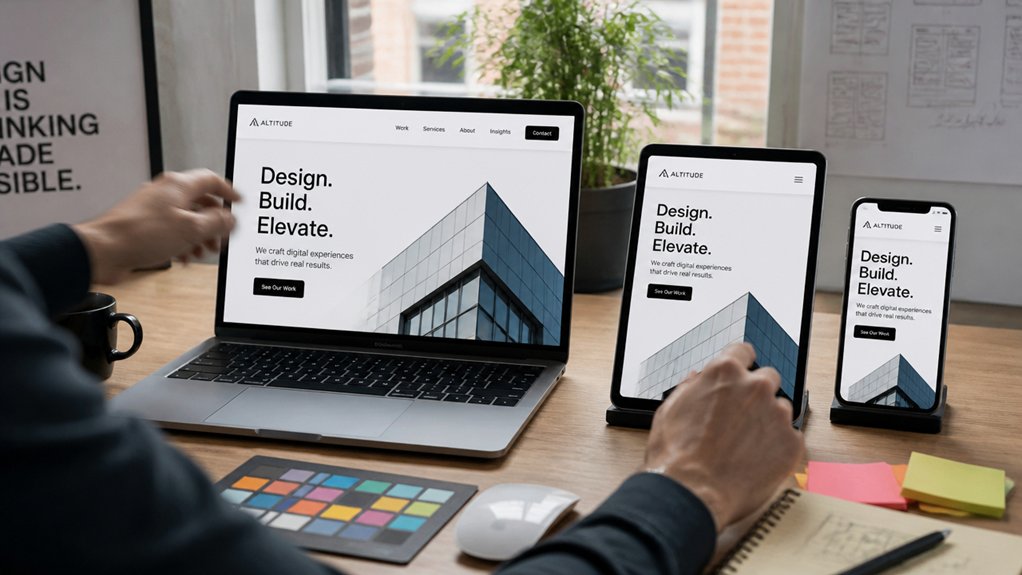
Even if your homepage looks flawless in a desktop Chrome preview, you should verify that the same “first impression” holds up on the devices and browsers your visitors actually use. Check analytics to prioritize the top screen sizes, OS versions, and browsers, then test those combinations first for Device compatibility and Browser consistency.
Use real phones and tablets when you can, not only emulators, because touch targets, font rendering, and performance often differ. Watch for layout shifts, slow LCP, broken menus, and sticky CTAs that cover content.
Confirm contrast, focus states, keyboard navigation, and screen reader labels so everyone can act quickly. Run cross-browser QA on Safari, Firefox, and Edge, and log issues with screenshots and steps. Retest after fixes and track conversion changes.
Frequently Asked Questions
What Should I Include on an “About” Page to Build Credibility?
Include a clear mission, your credentials, and proof you deliver results. Use brand storytelling to explain who you help, the problem you solve, and why you’re qualified. Add measurable outcomes, testimonials, client logos, case studies, and press mentions.
Show your team and process with consistent visual branding. Provide transparent contact info, policies, and security notes. Keep it accessibility-minded: headings, alt text, readable contrast, and plain language. Link to sources where possible.
How Many Landing Pages Does My Website Need to Convert Visitors?
You don’t need a fixed number—start with 1 strong landing page per core offer, then add pages as your data proves gaps.
Use user segmentation to tailor messaging for key audiences, and run A/B testing on headlines, CTAs, and layouts before scaling.
Track conversion rate, bounce rate, and scroll depth to decide what to duplicate or split.
Keep every page accessible: clear hierarchy, alt text, contrast.
Should I Use Animations or Video on My Homepage?
Yes—use animations or video if they clarify your message fast and don’t slow you down. Like a lighthouse, motion should guide, not blind.
You’ll win when interactive design supports visual storytelling and loads in under 2 seconds.
Measure impact with scroll depth, hero CTR, and conversion rate.
Keep accessibility: captions, reduced-motion options, keyboard controls, and no autoplay sound.
If metrics dip or speed suffers, switch to static.
What Legal Pages Do I Need on My Website?
You’ll typically need a Privacy policy, Terms of service, Cookie consent notice, and a Contact/Imprint page (if required where you operate).
If you sell, add Refund/Return, Shipping, and payment terms.
If you market to EU/UK or handle health/children’s data, include GDPR/UK GDPR or COPPA/HIPAA notices.
Use plain language, accessible formatting, and track consent events—audits often ask for timestamps and retention.
How Often Should I Redesign My Website’s Homepage?
Redesign your homepage every 2–3 years, but iterate quarterly based on analytics and user feedback. If bounce rate rises, conversions drop, or your content shifts, you can refresh sooner.
Update your color scheme and font selection when they hinder readability, brand clarity, or accessibility. You should test changes with A/B experiments, check Core Web Vitals, and verify contrast ratios and keyboard navigation.
Don’t redesign blindly; measure impact.
Conclusion
When you sharpen your site’s first impression, you’ll win more clicks in fewer seconds. Start with the 5‑second test, then state who you serve and what you solve with crisp, above‑the‑fold copy. Use clear contrast, scannable structure, and a single, strong next step so visitors don’t stall. Prioritize Core Web Vitals for fast, friction‑free loading. Add proof with prominent, practical trust signals. Finally, validate on real devices for accessible, consistent clarity.
About the Author